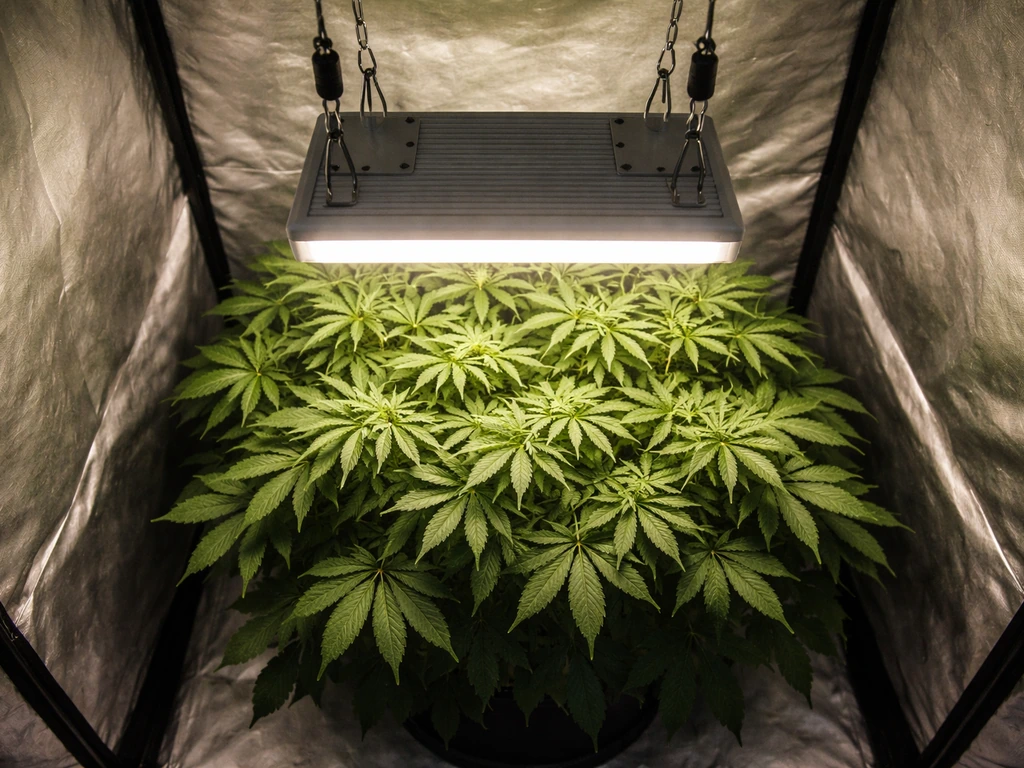
Your grow light is flickering because something in the chain from the wall outlet to the bulb is unstable. If your lettuce grow lights are not working, start by checking the same flicker-related causes like the power chain, driver, and any dimmer or timer in the setup lettuce grow lights not working. That chain includes the power source, the wiring, the driver or ballast inside the fixture, and any dimmer, timer, or smart plug sitting between them.
Why Is My Grow Light Flickering? Step-by-Step Fixes

Marcus Tillman
22 May 2026
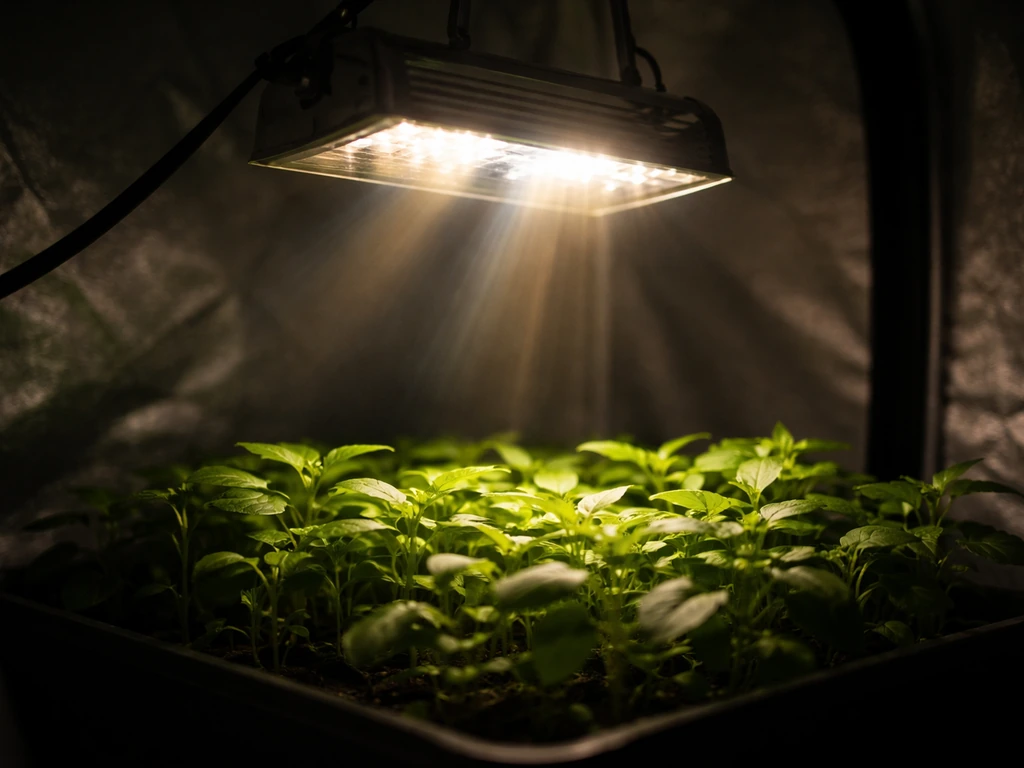
Most of the time it comes down to one of four things: a loose connection, an incompatible or failing driver, a bad outlet or shared circuit with too much load, or a controller that doesn't play nicely with your specific light. The good news is you can usually pinpoint the cause in under 20 minutes by running a simple sequence of tests, starting with the cheapest and easiest fixes first.
What's actually causing the flicker (power, bulb, or driver)
Flicker always has a source, and there are really only three places it can come from: the power being delivered to the fixture, something inside the fixture itself (the driver, ballast, or bulb), or a controller sitting between your outlet and the light. Understanding which category you're dealing with saves you from swapping parts randomly.
Power-side problems happen when the voltage coming out of your wall is unstable. This can be caused by a loose plug or cord, a worn outlet, a shared circuit where another appliance (a space heater, microwave, or dehumidifier) is pulling heavy current, or poor wiring in an older home. When voltage swings, the LED driver's current regulation is stressed, and that shows up as flicker. This isn't a grow-light-specific issue; it's basic electrical behavior.
Driver and bulb problems happen when a component inside the fixture is failing or was never a good match for the load. LED drivers can wear out, produce current ripple at certain operating points, or simply be incompatible with a dimmer you've attached. A fluorescent or HID ballast can fail gradually, and when it does, the flicker often gets progressively worse rather than appearing suddenly.
Controller problems are extremely common with grow light setups because growers almost always add a timer, a dimmer, or a smart plug. Triac dimmers in particular chop the AC waveform in a way that many LED drivers can't handle cleanly, producing visible flicker. Similarly, cheap mechanical timers can introduce micro-interruptions that confuse a driver. This is one of the most overlooked causes, and it's one of the easiest to test for.
Start here: check the wiring, plug, and outlet
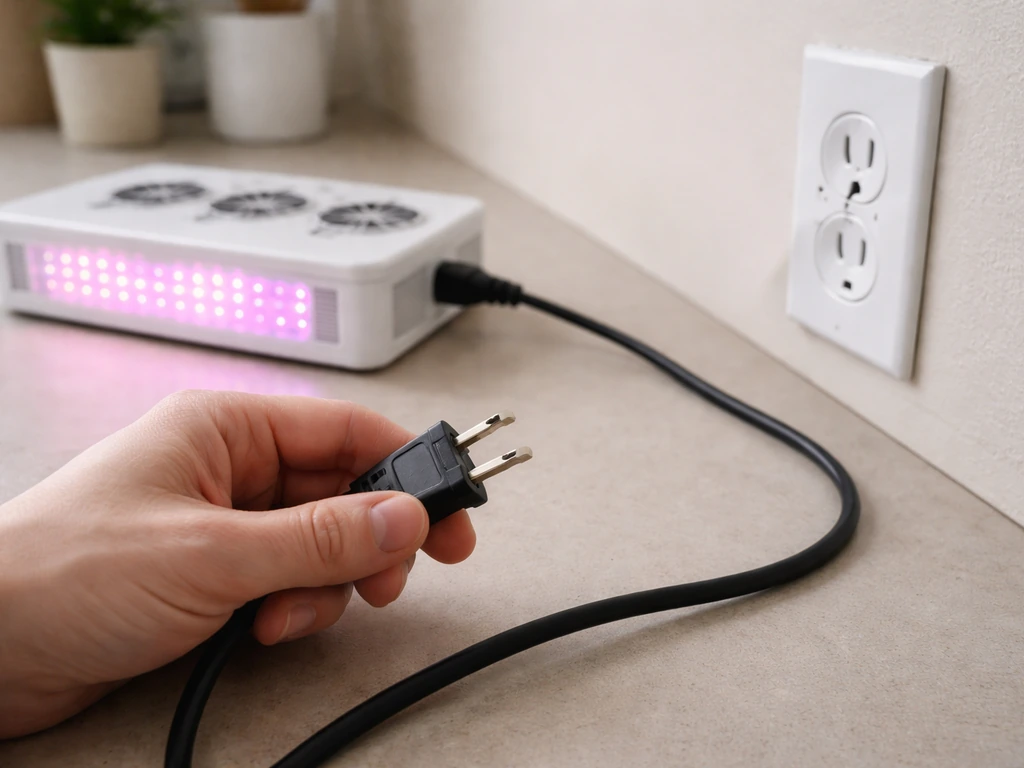
Before touching anything else, do a physical inspection of every connection in the circuit. Unplug the light, wait 30 seconds, and look at the cord from the fixture all the way to the wall. Check for any point where the cord is pinched, kinked, or has been walked on repeatedly, especially near the plug head and where the cord enters the fixture housing. These are the two highest-stress points and the most common spots for internal wire damage that shows up as flicker rather than a complete outage.
Plug the light back in and wiggle the cord gently while watching the light. If the flicker changes or stops when you move the cord, you've found your problem: a damaged cord or loose internal connection at the plug. That cord needs to be replaced, not taped. If your grow light has a removable power cord (many commercial LED panels do), a replacement cord costs a few dollars and takes two minutes to swap.
Also check the outlet itself. Try plugging a lamp or phone charger into the same outlet and see if it works normally. A loose or worn outlet can deliver just enough power to run a light most of the time but fail intermittently under load. If you have a different outlet on a completely different circuit available (ideally in another room), plug the grow light there and see if the flicker disappears. That single test tells you a lot.
One more thing worth checking: is anything else on the same circuit drawing a lot of power right now? A space heater, a grow tent fan, or even a refrigerator compressor cycling on can cause a brief voltage dip that makes an LED flicker. Try running the grow light as the only thing on that circuit and see if the behavior changes.
What the flicker pattern tells you about your light type
The way your light flickers is actually a useful diagnostic clue, and it varies depending on whether you're running an LED, a blank" rel="noopener noreferrer">fluorescent or CFL, or an HID fixture (like metal halide or HPS).
LED grow lights
LED flicker tends to fall into two patterns. Random, chaotic flicker that doesn't follow a steady rhythm usually points to voltage instability, a loose connection, or a driver that's beginning to fail. It's erratic because the trigger is inconsistent. Rhythmic, pulsing flicker that happens at a steady rate is often tied to PWM dimming, where the driver is switching the current on and off rapidly.
Waveform Lighting also notes that virtually all LED strip dimmers or controllers use PWM on the low-voltage DC side of the circuit, which helps distinguish them from AC-side issues PWM dimming. At low PWM frequencies (below around 500 Hz), this switching can become visible to the human eye, especially when the light is dimmed down.
If you only see flicker when the light is dimmed and not at full power, PWM interaction is almost certainly your cause.
Fluorescent and CFL grow lights
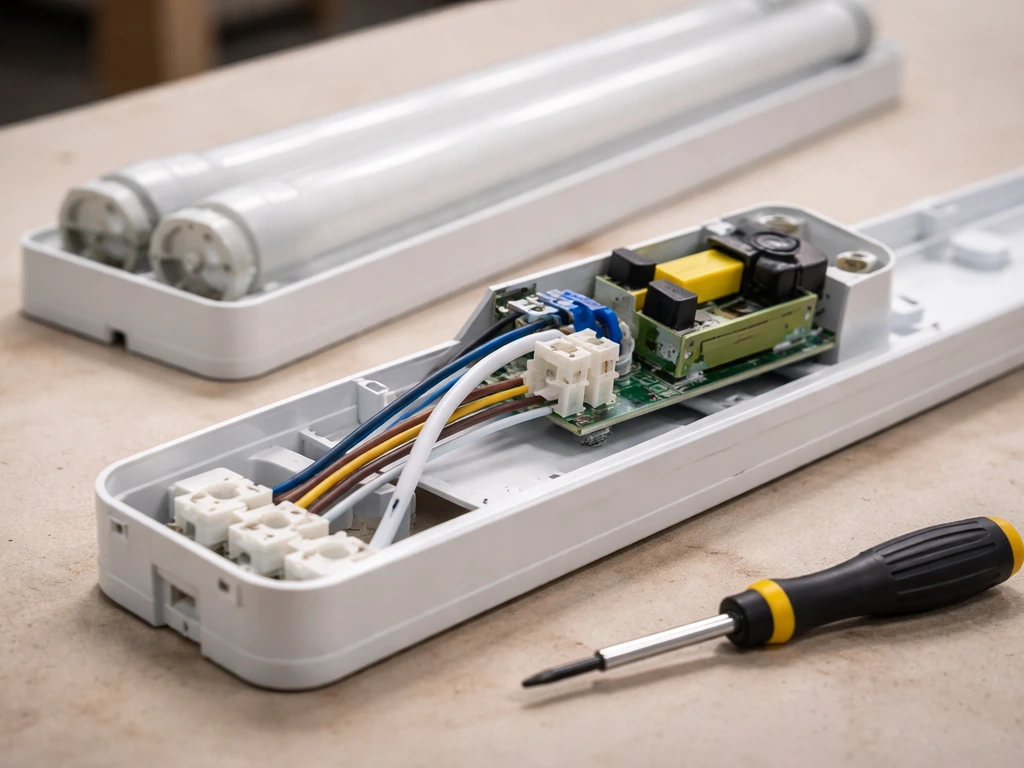
Older fluorescent fixtures with magnetic ballasts inherently flicker at twice the mains frequency, which is 100 Hz in most of Europe and 120 Hz in North America. Most people can't see 120 Hz flicker, but it becomes noticeable when the ballast ages and starts dropping below that frequency. If your fluorescent grow light has started flickering visibly or strobing, the ballast is almost certainly the culprit. Electronic ballasts refresh much faster and don't have this problem, so if you're running an old-school magnetic ballast setup, replacing it with an electronic ballast is worth doing regardless.
HID grow lights (HPS, metal halide)
HID lights flicker when the ballast is failing, when the bulb is nearing end of life, or when there's a loose connection in the lamp socket. HID bulbs also go through a warm-up period of several minutes where some irregular light output is normal. If the flickering is happening after the warm-up period and the bulb is more than a year or two old with heavy use, start with the bulb before blaming the ballast.
| Light Type | Typical Flicker Pattern | Most Likely Cause |
|---|---|---|
| LED | Random/erratic | Loose connection, driver failure, or voltage instability |
| LED (dimmed) | Rhythmic pulse | PWM frequency too low or dimmer incompatibility |
| Fluorescent (magnetic ballast) | Visible strobe or hum | Aging or failing ballast |
| Fluorescent (electronic ballast) | Sudden or erratic | Connection issue or ballast failure |
| HID (HPS/MH) | Flicker after warm-up | Aging bulb or failing ballast |
Driver, dimmer, timer, and outlet compatibility issues
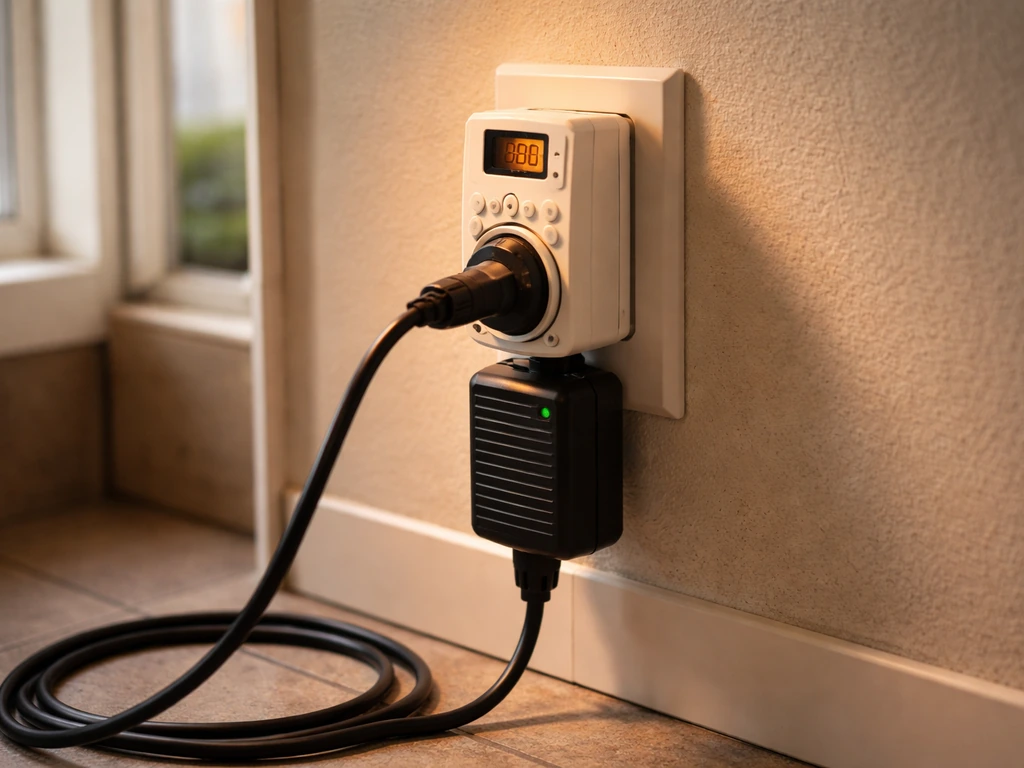
This section is where a lot of grow light flicker problems actually live, because most growers add at least one controller between the outlet and the fixture. Timers, dimmers, and smart plugs are all potential trouble spots.
Dimmers are the most common offender. Triac dimmers (the standard type sold at hardware stores) work by chopping the AC waveform, and many LED drivers weren't designed to handle that kind of input. The result is visible flicker, usually rhythmic. Even if a dimmer says it's LED-compatible, that compatibility was tested with a specific range of driver types, and your grow light's driver may not be in that range. If you're using any kind of wall dimmer or inline dimmer with your grow light and the fixture wasn't explicitly sold as dimmable via that method, that's your most likely cause.
0-10V dimming systems (common on commercial-grade LED grow lights) have their own quirk: most 0-10V drivers won't actually dim below about 10% of full output. If your controller is trying to push below that threshold, the driver can behave unpredictably, including flickering. Check the driver's datasheet for its minimum dim percentage and make sure your controller isn't trying to go below it.
Timers, including both cheap mechanical dial timers and digital programmable ones, can introduce brief power interruptions at switching moments. A mechanical timer with worn contacts may produce micro-interruptions that cause flicker or even full restrike behavior in HID lamps. If you notice flickering primarily right after your timer turns the light on, a worn timer is a cheap and easy thing to rule out by bypassing it temporarily.
Smart plugs and WiFi-connected outlets are increasingly common in grow setups and can be another source of instability. Some smart plugs have internal relays that produce brief voltage dips at switching, and a few budget models deliver slightly unclean power continuously. If you added a smart plug recently and that's when the flicker started, try removing it.
Electrical noise, grounding, surge protectors, and GFCI outlets
Power quality issues beyond simple voltage level can also cause flicker, and these are easy to overlook. Electrical noise on the line, missing or poor grounding, and the wrong kind of protective equipment can all contribute.
Grounding matters more than most people expect. In older homes that lack a proper grounding wire, LED drivers can be more susceptible to voltage fluctuations and noise. If your outlets are two-prong (ungrounded), or if a three-prong outlet was installed but the ground wire was never connected properly behind the wall, your grow light is operating without a safety net for electrical disturbances. A licensed electrician can check this in minutes, and it's worth doing if you're running any significant electrical load in a grow space.
Surge protectors sound like they should help, but a cheap or overloaded power strip can actually introduce resistance and heat into the circuit, particularly if it's old or if you're drawing close to its rated amperage. If you're running multiple grow lights, fans, and pumps through one power strip, try plugging the grow light directly into a wall outlet and see if the flicker changes. Similarly, long extension cords add resistance, and if you're using a light cord extension that's undersized for the wattage, voltage drop along the cord can cause flicker. Match the extension cord's amperage rating to at least 125% of your fixture's draw.
GFCI outlets (the ones with Test and Reset buttons, typically found in bathrooms, kitchens, and garages) can trip partially or start behaving erratically when they begin to fail. A GFCI that's tripping intermittently without fully cutting power can produce exactly the kind of unstable output that causes flicker. If your grow light is plugged into or downstream of a GFCI outlet, press Reset firmly, then test the outlet with a lamp. If the GFCI is more than 10 years old and in a damp environment, replace it.
Step-by-step troubleshooting plan to run through today
Run these in order. Start with the fastest, cheapest tests and only move to the next step if the flicker continues. Most people find their answer by step 4 or 5.
- Bypass every controller: unplug the grow light from any timer, dimmer, or smart plug and plug it directly into a wall outlet. If the flicker stops, the controller is the problem. Check compatibility between your dimmer type and your driver, or replace the timer.
- Move to a different outlet on a different circuit: if the flicker continues without any controller, try the light in a completely different room on a different circuit. If it stops flickering there, your original circuit has a power quality issue (shared load, loose breaker connection, or wiring problem).
- Inspect the cord and plug: unplug the light, run your fingers along the entire cord feeling for kinks or hard spots, and visually check the plug and where the cord meets the fixture. Wiggle the cord while the light is on and watch for changes in flicker. Replace a damaged cord.
- Remove surge protectors and extension cords: plug directly into the wall outlet with only the fixture's own cord. Long or undersized extension cords cause voltage drop. Cheap power strips add resistance. Cut them out temporarily to test.
- Check and reset any GFCI outlets in the circuit: press the Reset button firmly on any GFCI outlet in the chain. If the outlet is in a damp location and is several years old, replace it.
- Reduce circuit load: if other appliances are running on the same circuit, turn them off while the grow light runs. If the flicker improves, you have a shared load problem. Move the grow light to a dedicated circuit or schedule conflicting loads to run at different times.
- Check the driver and internal connections: if none of the above helped, the problem is likely inside the fixture. Look for any visible burn marks, swollen capacitors on any exposed driver board, or a driver that's warm to the touch when it shouldn't be. If your light has a removable driver (many panel-style LED grow lights do), try swapping in a compatible replacement driver before replacing the whole fixture.
- Test with a known-good bulb (fluorescent or HID only): swap in a fresh bulb if you're running a fluorescent or HID system. Bulb failure causes flicker and is usually cheaper to fix than a ballast.
When to replace a part vs. the whole fixture
Not every flicker problem means you need a new light. Here's a practical way to think about what to replace and when.
Replace the driver first
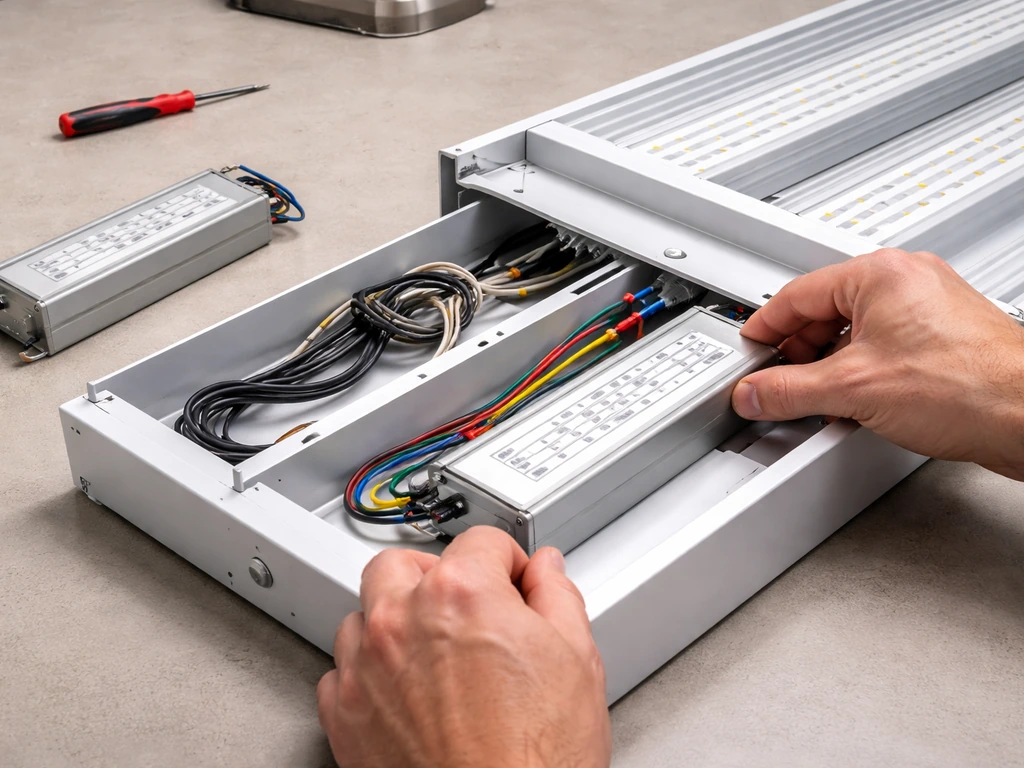
If your grow light passed all the external tests (good outlet, no controllers in the chain, clean wiring) and still flickers, the driver is the most likely internal failure point. Many LED grow lights use standard external drivers that are separate from the LED boards, and you can replace just the driver for $15 to $50.
When buying a replacement, you need to match four specs: input voltage (typically 120V or 120-277V), output current in milliamps (this must match or be adjustable to your LED board's requirements), output wattage, and dimming interface (0-10V, Triac/ELV, PWM, or non-dimmable). Check the label on the original driver before ordering. If the driver is integrated and not sold separately, contact the manufacturer before buying a full replacement fixture.
Replace the ballast (fluorescent or HID)
If you've already swapped the bulb and the flicker continues on a fluorescent or HID fixture, replace the ballast. Match the replacement ballast to your lamp type, wattage, and voltage. For fluorescent, moving from a magnetic to an electronic ballast eliminates the inherent 120 Hz flicker and is generally worth the upgrade. For HID, use a ballast matched to your exact bulb wattage (150W, 250W, 400W, 600W, or 1000W) and type (HPS or MH specifically, not interchangeable).
Replace the whole fixture
Replace the whole fixture when the driver is integrated and not sold separately, when repair cost is more than about 60% of a new fixture's price, or when the fixture is more than three to four years old with heavy daily use and has already had one repair. For grow light replacements, look for fixtures with a separately replaceable driver listed in the product specs. That single feature will save you money the next time a driver fails. Also confirm the fixture's dimming interface matches whatever controller you're planning to use before you buy.
If you're also troubleshooting a specific brand's grow light that has stopped working entirely rather than just flickering, the diagnostic path is a bit different from what's described here. Similarly, if your issue is the light being physically too close to your plants rather than an electrical problem, that's a separate fix involving distance and intensity rather than wiring.
A helpful way to confirm placement is to learn how to tell if a grow light is too close by watching for stress signs and checking intensity at the canopy how to tell if grow light is too close. And if you're seeing a stuck startup screen on a smart grow light controller, that points to a firmware or hardware issue with the controller itself, not the fixture.
If your grow light controller is stuck on the startup screen, troubleshooting the controller itself can help you confirm whether it is a firmware issue stuck startup screen. The flickering problem you're solving today is specifically electrical, and the steps above will get you to the cause.
FAQ
Is grow light flickering dangerous, or is it just annoying to look at?
Flickering is usually a sign of unstable power or failing electronics (driver, ballast, controller). It can cause reduced output and faster component wear. If the flicker comes with buzzing, burning smell, discoloration at the plug, or frequent tripping (GFCI/breaker), stop using the fixture and have the wiring and outlet checked.
My light only flickers when I dim it. Does that change what I should test first?
Yes. If flicker appears mainly at low brightness (and not at full power), prioritize the dimming method. A mismatched dimmer type (especially triac dimmers) or a driver that cannot dim below its minimum level is the most common cause. Verify the driver’s minimum dim percentage and whether the controller is rated for that specific dimming interface.
What’s the fastest way to tell if the problem is the light itself versus the controller?
Do a controlled bypass test. Plug the grow light directly into a known-good wall outlet (no timer, no smart plug, no dimmer) and observe whether flicker disappears. If it stops, the issue is almost certainly the controller or power conditioning device in the chain.
Can a failing extension cord or power strip cause flickering even if the light turns on normally?
Yes. Long or undersized extension cords can cause voltage drop under load, which can show up as flicker rather than a complete shutdown. Power strips that are old or overloaded can also add heat and resistance. Try plugging directly into the wall, then if needed swap to a properly rated cord (match the extension cord’s amperage rating to at least 125% of the fixture draw).
How can I tell if a flicker pattern is from voltage instability versus PWM dimming?
Watch the timing. Irregular, chaotic flicker that changes unpredictably often points to loose connections or voltage instability. A steady rhythmic flicker that correlates with dimming settings often points to PWM dimming interaction (especially at low dim levels). If you can reproduce the pattern at a consistent dim setting, note the brightness level and whether it disappears at full power.
I have a smart plug in the setup, but the light flickers only sometimes. What should I check?
Smart plugs can introduce brief switching dips or deliver noisier power on some models. Remove the smart plug entirely and use the same wall outlet and the same light setting to see if flicker stops. If it improves, replace the plug with a model designed for electronic loads, or remove the controller from the circuit during testing to confirm.
My grow light is plugged into a GFCI. It doesn’t fully shut off, but it flickers. Could the GFCI be the cause?
It can. Some failing GFCIs behave erratically under intermittent load. Press Reset firmly, test the outlet with a different device (like a lamp or phone charger), and observe whether the flicker returns when the grow light is plugged back in. If the GFCI is old or installed in a damp area, replacement may be the cleanest fix.
Does flickering automatically mean my driver needs replacement?
Not automatically. First confirm you have stable power and a compatible controller setup. Only after you’ve ruled out outlet problems, controllers, and wiring should you conclude the driver is failing. A good confirmation is when flicker persists with direct wall power and no dimmer, timer, or smart plug in between.
If I need a replacement driver, what details should I match besides voltage?
Match the driver’s input voltage range, output current (mA), output wattage capability, and dimming interface (for example 0-10V, triac/ELV, or non-dimmable). Also ensure the new driver is compatible with how you currently dim, because a driver can physically run but still flicker if the dimming method is wrong.
For fluorescent or HID lights, is it normal to flicker right after turning it on?
With HID lamps, some irregular output can be normal during warm-up for several minutes. If flickering starts after warm-up and continues, suspect the bulb nearing end of life or a loose socket/connection. For fluorescent units, older magnetic ballasts often show visible flicker as they age, and the fix may be switching to an electronic ballast.
Can loose wiring inside the fixture cause flickering, and how should I approach checking it?
Yes. Loose internal connections can cause flicker without fully turning the light off, and movement of the cord may change behavior. If you see flicker changing when you wiggle the plug or cord near the fixture entry point, that often points to internal cord wiring damage. For opening the fixture, only do it if you can safely disconnect power and if the manufacturer allows service, otherwise consider professional repair.
What should I do if the breaker or other appliances cycle on and my grow light flickers?
That pattern suggests a shared-circuit voltage dip. Test by running the grow light alone on that circuit, or try another outlet on a different circuit. If flicker strongly correlates with a specific appliance cycling (like a fridge compressor or a heater), the solution is typically circuit management (separate circuit) rather than replacing the grow light first.
When is it worth replacing the whole fixture instead of the driver or ballast?
If the driver is integrated and not sold separately, replacing the fixture is often the only practical route. Also consider replacing when repair cost is high relative to a new fixture (for example above about 60%), or when the fixture is several years old with heavy daily use and has already had prior repairs.
Next Article
How to Tell If Grow Light Is Too Close: Fix Light Stress
Spot light stress symptoms and fix grow light distance using PPFD checks or phone meters, plus safe adjustment rules.