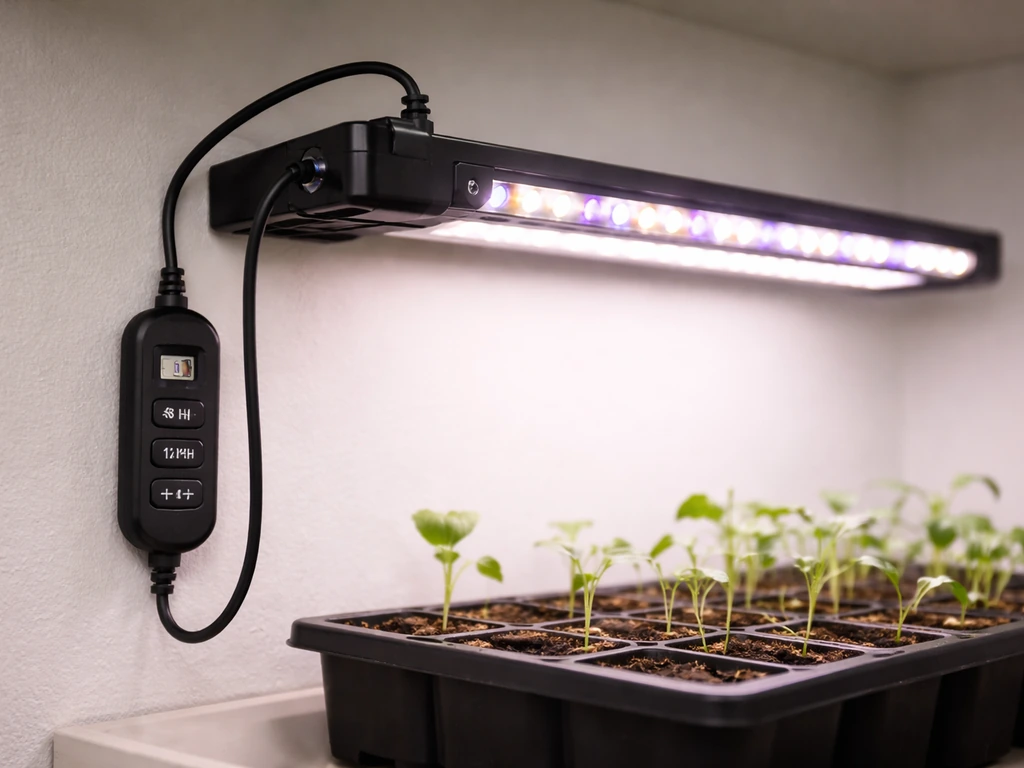
Your GHODEC grow light will work great once it's set up correctly, but the manual that ships with it (or that you find online) is often thin on practical detail. This guide fills that gap. Whether you have the GH-30 clip-style unit, the 50W bar light, or the 100W tripod stand model, you'll find the exact steps to get it running, positioned, scheduled, and troubleshot without guesswork.
Ghodec Grow Light Manual: Setup, Placement, and Fixes

Marcus Tillman
15 Apr 2026
What the GHODEC grow light actually is (and what to verify before you start)
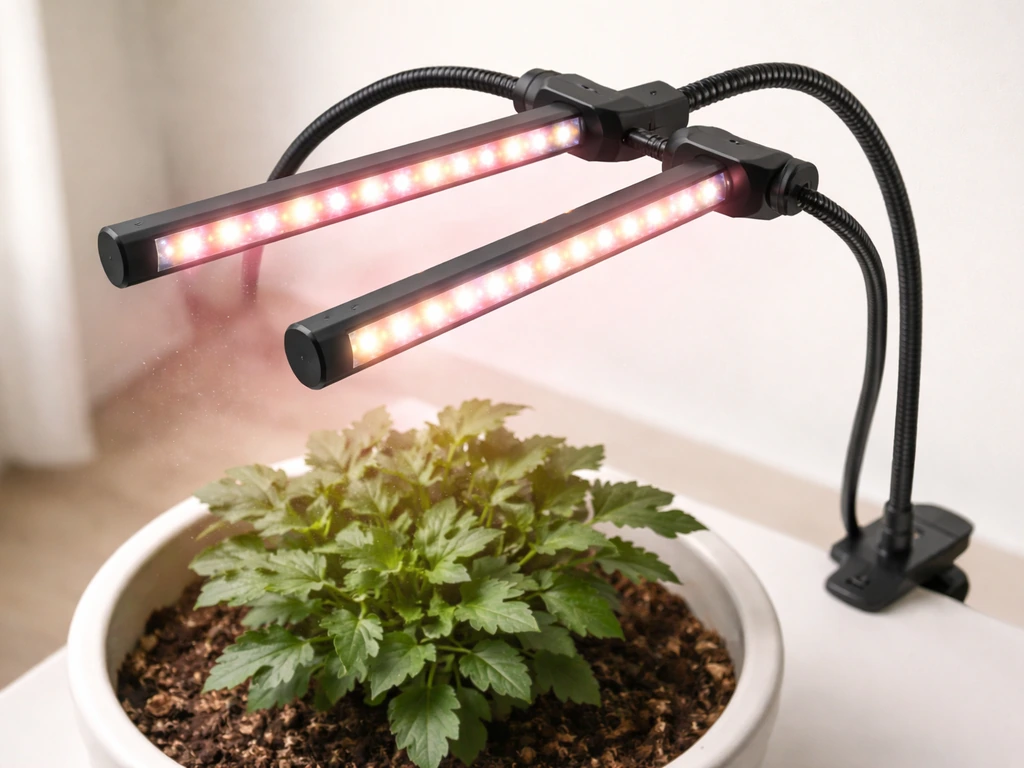
GHODEC makes several distinct grow light models, and knowing which one you have changes how you set it up. The three most common are: the GH-30, a USB-powered clip-on gooseneck light rated at 75W full spectrum (6000K sunlight white plus red LEDs); the 69 Sunlight 50W, a bar/strip style unit described in its own manual as a '5x10W LED grow light'; and the 100W full-spectrum gooseneck/tripod stand model with an adjustable tripod ranging from 15 to 48 inches and a strip of 80 LEDs. The GH-30 is the most searched model, so most of this guide focuses there, but I'll flag where the 50W bar and 100W tripod differ.
Before you install anything, run through a few quick checks. Confirm you have the right model by looking at the label on the light or the box. Check whether a USB power adapter was included: GHODEC's own GH-30 documentation notes that the USB power adapter may not always be in the package. If it's missing, you'll need a standard 5V DC USB adapter. Also inspect the gooseneck arms and the clamp (on GH-30) or tripod base (on the 100W) for any shipping damage, and make sure all screws or locking knobs are present before mounting.
Unboxing and parts checklist
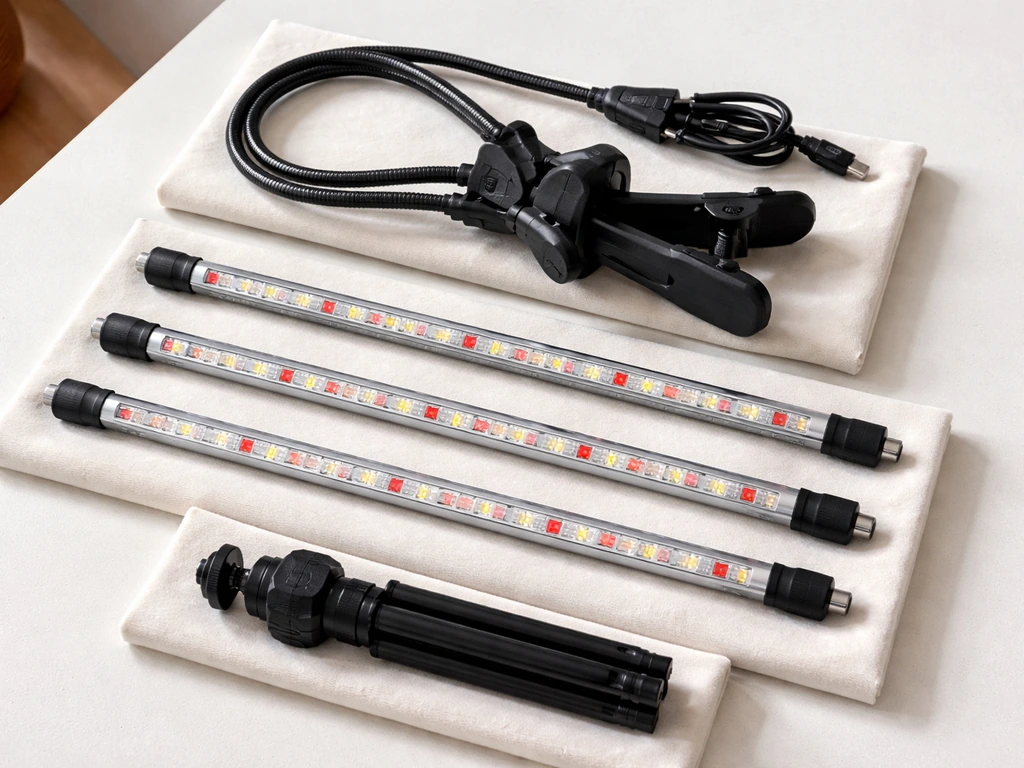
Lay everything out on a table before you start. Here's what should be in the box for each major model:
| Component | GH-30 (clip/gooseneck) | 50W bar light | 100W tripod stand |
|---|---|---|---|
| LED light head(s) | Dual bars, each with 5 red + 37 white LEDs | Single bar strip (5 x 10W LEDs) | 80-LED strip on gooseneck arm |
| Mounting hardware | Sturdy spring clamp | Mounting clips or hooks | Adjustable tripod (15–48 in) |
| Gooseneck / arm | 360° flexible gooseneck | Fixed or short arm | 360° flexible gooseneck |
| Power connection | USB cable (5V DC) | Power cord (check label) | Power cord (check label) |
| Control panel | Integrated on unit | Integrated on unit | Integrated on unit |
| Adapter included? | Not always — verify | Usually yes | Usually yes |
For the GH-30 specifically, the integrated control panel sits on the unit itself and handles everything: power, brightness, and timer. There is no separate remote. Once you've confirmed all parts are present, plug the USB cable firmly into the port on the light first, then connect the other end to your USB adapter (or a powered USB port rated at 5V). The GH-30 manual is explicit: make sure that USB connection is snug on both ends before assuming it's a power problem. If you're working with the 100W tripod model, extend the tripod legs until the base is stable on a flat surface before routing any cables.
Where to place the light: height, distance, and angle
Placement is where most beginners go wrong, and it's honestly the single biggest factor in whether your plants thrive or struggle. For the GH-30 clamp model, aim for 6 to 12 inches above the plant canopy when you're running full intensity. If you're at a lower brightness setting (levels 1 or 2 out of 5), you can drop to 4 to 6 inches. For the 100W tripod model, the adjustable height range of 15 to 48 inches gives you a lot of flexibility: start at around 18 to 24 inches for most leafy houseplants, then adjust based on how the plant responds over the first week.
Angle matters too. The 360° flexible gooseneck on both the GH-30 and the 100W model lets you direct the beam straight down onto the canopy, which is where you want it for even coverage. Angling the light sideways or at a steep diagonal means the outer edges of your plant get much less usable light. If you have a wide pot or multiple small plants clustered together, center the light above the group and point it straight down rather than trying to angle it to cover all of them from one side.
For the 50W bar model, the GHODEC manual actually states that placing the light directly over the plants in combination with the right timer setting is sufficient for growth, so don't overthink the distance. A good starting point is 8 to 16 inches above the canopy. Signs you're too close: leaf edges curl or bleach out. Signs you're too far: plants stretch tall and leggy toward the light. Adjust by a couple of inches and give the plant three to five days to respond before moving it again.
Setting intensity and light modes
GH-30: 5 brightness levels and the timer button
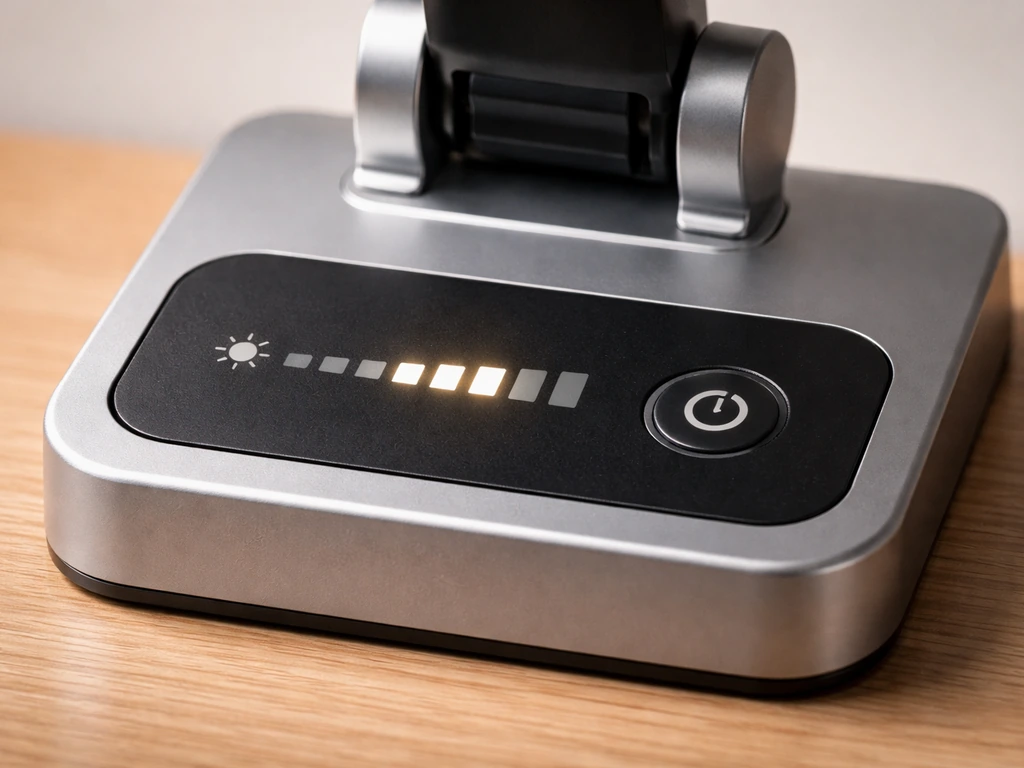
The GH-30 has five dimmable brightness levels controlled by the button on its integrated panel. A single press powers the unit on at level 1; successive presses cycle up through levels 2, 3, 4, and 5. Level 5 is full 75W output. For seedlings and young plants, start at level 2 or 3 to avoid overwhelming tender growth. Established houseplants generally do fine at level 3 to 5 depending on species. High-light plants like herbs, succulents, and fruiting vegetables benefit from level 4 or 5.
To activate the built-in timer, press the timer button to cycle through the three options: 4 hours, 8 hours, or 12 hours. Once selected, the light will automatically cycle on and off daily at the set interval with no manual action needed. The official GHODEC documentation notes a potential drift of approximately 15 minutes per day in the timer cycle, so if precision matters for your grow setup, cross-check it against a clock every few days. If you notice the timer drifting significantly, unplug the light for a few minutes, plug it back in, and reset your chosen duration to recalibrate it.
50W bar model: color-coded timer
The 50W bar light uses a color-coded timer button to indicate duration: blue light on the button means 3 hours selected, green means 9 hours, and red means 12 hours. There's no ambiguity once you know the color key. Press the button until you see the color that matches your target duration, and the timer will run from that point. This model doesn't have individual brightness steps in the same way as the GH-30, so your main control variable here is timer duration and placement height.
How to schedule grow light hours
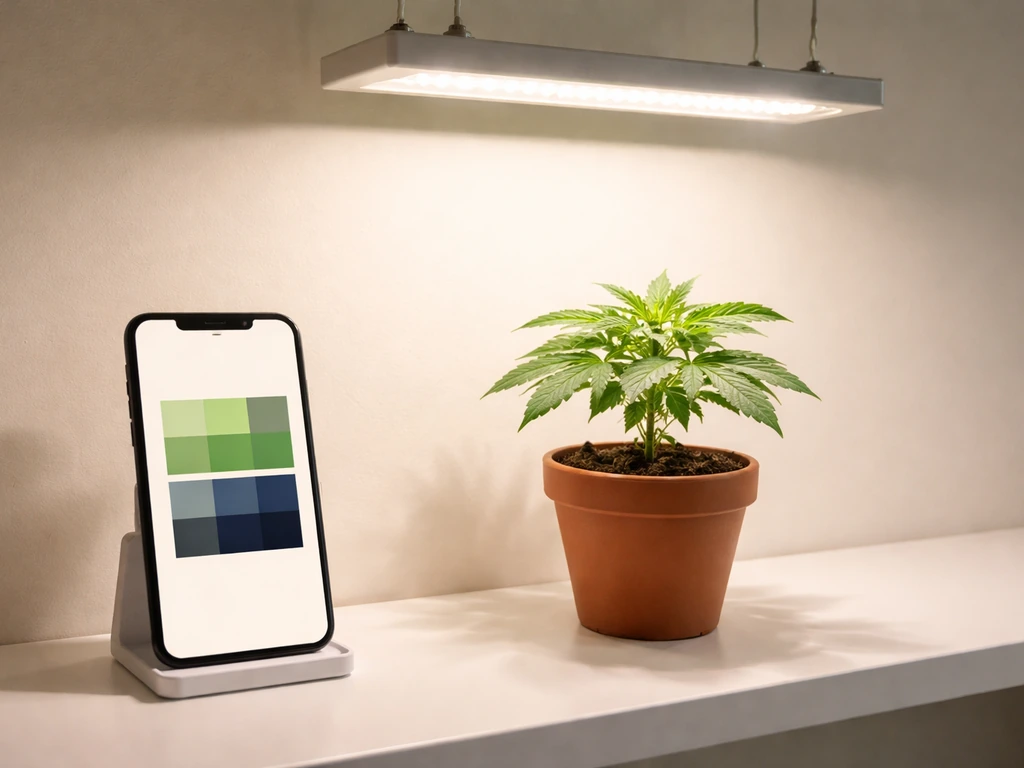
Getting the daily light schedule right has more impact on plant health than almost any other setting. The general principle is simple: seedlings and young plants need more light hours than established houseplants, and the right amount varies by plant type. Here's a practical starting framework:
| Plant type / stage | Recommended daily hours | Suggested GH-30 timer setting | Notes |
|---|---|---|---|
| Seedlings and cuttings | 14–16 hours | Two back-to-back 8H cycles (or use a separate outlet timer) | Keep intensity at level 2–3 |
| Herbs (basil, mint, parsley) | 12–14 hours | 12H timer on 50W bar / two 8H on GH-30 | Level 3–4 on GH-30 |
| Leafy houseplants (pothos, ferns) | 10–12 hours | 12H setting | Level 2–3; avoid drying soil too fast |
| Succulents and cacti | 12–14 hours | 12H setting | Level 4–5; keep well-ventilated |
| Fruiting vegetables (tomatoes, peppers) | 14–16 hours | Supplement with a smart outlet timer | Level 5; raise light as plants grow |
| Tropical foliage (monstera, philodendron) | 10–12 hours | 12H setting | Level 2–4 depending on species |
One thing worth knowing: the GH-30's built-in timer maxes out at 12 hours per cycle. If you need 14 to 16 hours for seedlings or high-light vegetables, plug the light into a mechanical or smart outlet timer set to your desired schedule and skip the built-in timer entirely. This is a common workaround, and it works perfectly well. For most houseplants, though, the 12H built-in setting is exactly what you need and makes things dead simple.
If you want to go deeper on building the right schedule for your specific plants, the grow light manual principles that apply across brands and models are worth understanding, since they'll help you adapt any schedule as your plants mature or seasons change.
Seasonal adjustment is real. In winter, when ambient daylight is low, you'll often want to add an hour or two to your timer cycle. In summer, if the light is near a bright window, you may be able to reduce the timer to 8 or 10 hours to avoid light stress. Watch your plants: slow, compact growth means more light; yellowing or crispy leaf edges usually mean too much.
Troubleshooting common problems
Light won't turn on at all
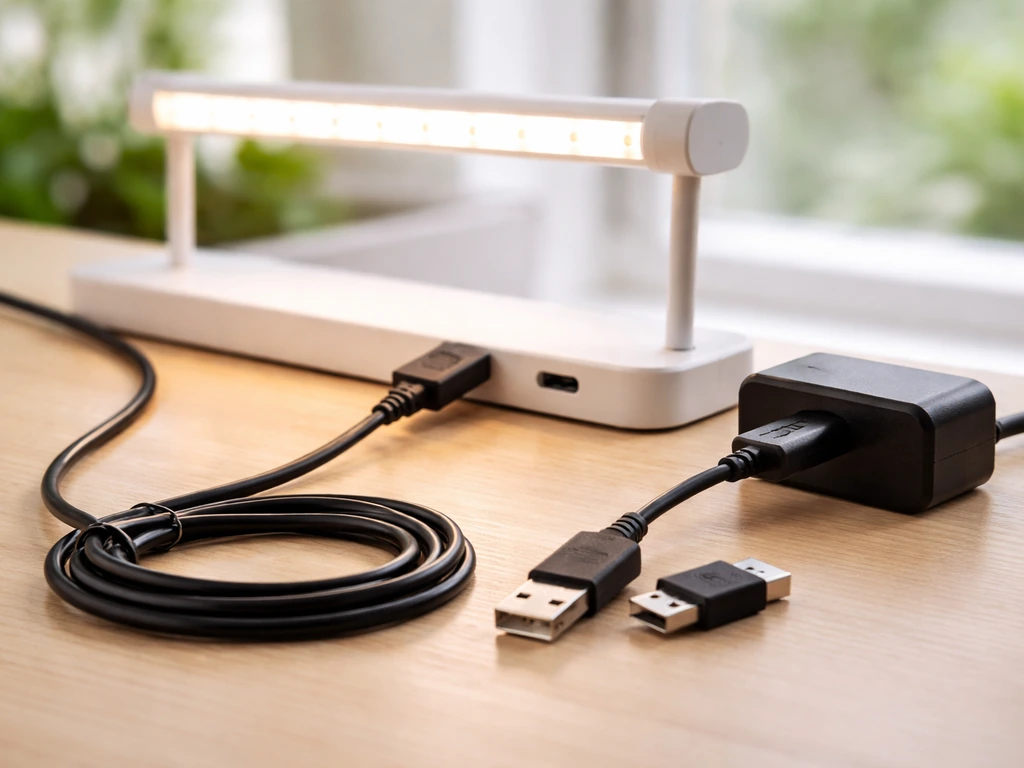
Start with the obvious: is the USB cable plugged in securely at both ends? The GH-30 manual specifically calls this out as the first thing to check. Then try a different USB adapter and a different wall outlet. GHODEC's own documentation says to swap the adapter first if the light doesn't power on, because a weak or incompatible adapter is the most common culprit. If you're using a laptop USB port or a phone charger rated under 2A, that may not supply enough current. Use a dedicated 5V USB wall adapter rated at 2A or more.
Only one light bar is working (GH-30)
The GH-30 has dual LED bars and the control panel can cycle through modes that activate one bar, both bars, or different combinations. If only one bar is lit, press the power button repeatedly to cycle through the available modes until both bars illuminate. If a specific bar still doesn't light after cycling through all modes, that bar may be faulty and you'll need to contact GHODEC customer support.
Light flickers or shuts off unexpectedly
Flickering almost always points to a loose or unstable power connection. Wiggle the USB cable gently at both ends while the light is on. If flickering correlates with the wiggle, you have a contact issue. Try a different USB cable if you have one handy, or a different adapter and outlet. If the flickering continues on a new adapter and outlet, that's when you contact support, because it's likely an internal issue. Intermittent shutoffs that happen on a schedule (not random) can also be a sign the built-in timer is running and turning the light off as programmed.
Light feels too weak or plants aren't responding
First, check your brightness level. It sounds basic, but it's easy to accidentally leave the GH-30 on level 1 when you meant to set it higher. Press the button to cycle up to level 4 or 5 and see if output noticeably increases. Second, check distance: if the light is more than 18 to 20 inches away from a small plant, the intensity at leaf level drops significantly. Move it closer to 8 to 12 inches. Third, check your timer duration. If plants are growing slowly or leaning toward a window, you probably need more hours per day, not more intensity.
Overheating concerns
LED grow lights generate less heat than HID lights, but they still need airflow. GHODEC's manual is clear: ensure proper ventilation around the light to prevent overheating. Don't tuck the unit inside an enclosed cabinet or cover it with anything. If the light housing feels very hot to the touch (not just warm), that's a sign it needs more airspace. Raise the light a couple of inches or use a small fan nearby to improve air circulation. The GH-30 is not waterproof or humidity-rated for high-moisture environments, so avoid placing it in a bathroom or near a humidifier.
Uneven growth or one side of the plant looks better
This almost always comes down to light angle and coverage. If the gooseneck is pointed to one side, part of the plant canopy is in shadow. Re-center the light directly over the plant and point the head straight down. Also rotate your plant pot a quarter turn every four to five days so all sides get even exposure. If you have a wide plant or a row of pots, a single GH-30 clip light can only cover about a 12-inch footprint effectively at full brightness. For wider setups, the 50W bar light or 100W tripod model covers more area.
Maintenance, safety, and when to adjust or replace
Cleaning the light
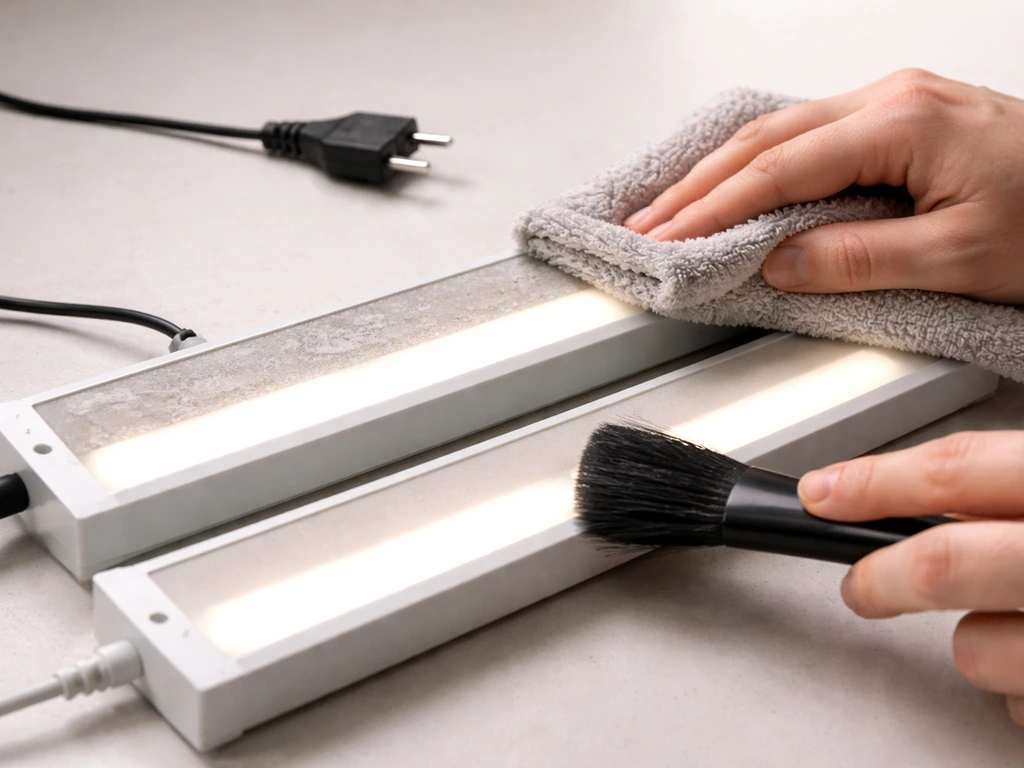
Dust on the LED bars reduces output over time, so clean the light every few weeks. Always unplug the unit first: GHODEC's manual makes this a firm requirement before any cleaning. Use a soft, dry cloth to wipe the LED bars and the control panel. Do not use abrasive cleaners, liquid sprays, or anything wet. Never immerse any part of the light in water. This takes about 30 seconds and makes a real difference in light output over months of use.
Cable care
The USB power cable on the GH-30 is a common failure point if it's handled roughly. GHODEC's documentation specifically warns against bending or kinking the cable excessively and placing heavy objects on it. Route the cable along a baseboard or shelf edge where it won't be stepped on or pinched by furniture. If the cable jacket shows cracking or the connection feels intermittent, replace the cable before it causes a bigger problem.
Eye safety and household safety
Don't look directly into the LEDs for more than a second or two, especially at full brightness. The white and red LEDs are intense enough to cause eye strain with prolonged direct viewing. GHODEC's manual calls this out explicitly. Keep the light out of reach of children and pets, both for safety and because a curious pet or child can easily knock a clamp-mounted light onto a plant or the floor. If you have cats, the gooseneck arms are particularly tempting to bat around.
When to reposition or replace the light
Reposition whenever your plant grows significantly taller. With the GH-30, that means re-clamping the base higher on a shelf edge or adjusting the gooseneck to maintain your target 6 to 12 inch distance from the canopy. With the 100W tripod, extend the legs upward as the plant grows. A good rule of thumb: check height every two to three weeks during active growing season.
LED grow lights gradually lose output over thousands of hours of use. Most quality LEDs are rated for 50,000 hours, so outright failure from age isn't common in the short term. But if you notice plants responding less well after a year or two of daily use despite correct placement and scheduling, dimming output could be a factor. At that point, it's worth comparing your GHODEC against other models. For example, if you've used other budget LEDs and want to compare experiences, reading through something like the ezorkas grow light user manual can give you a useful benchmark for what similar-priced lights offer in terms of output specs and controls.
If you're expanding your setup to more plants or larger pots, a single GH-30 clip light will eventually become the bottleneck. That's the natural moment to upgrade to the 100W tripod model or add a second unit. Similarly, if you're growing in a tent or a dedicated shelf setup and want programmable control beyond what the GHODEC's built-in timer offers, pairing the light with a smart outlet timer is the easiest upgrade you can make without buying new hardware.
How GHODEC compares to similar budget grow lights
GHODEC sits in a crowded category of USB-powered and AC-powered clip and bar grow lights. Understanding where it fits helps you decide whether it's the right tool for your situation or whether a different unit would serve you better.
| Feature | GHODEC GH-30 | GHODEC 100W Tripod | Typical competitor (similar price) |
|---|---|---|---|
| Power | 75W (USB 5V DC) | 100W (AC) | Varies: 40–80W typical |
| Mounting | Spring clamp + gooseneck | Adjustable tripod 15–48 in | Clamp or clip |
| Brightness control | 5 levels | Varies by model | 3–5 levels typical |
| Built-in timer | 4H / 8H / 12H | Varies | Often 3H / 9H / 12H |
| Timer accuracy | ~15 min daily drift noted | Not specified | Similar drift common |
| Best for | Single plants, desk use | Multiple plants, floor setups | Similar single-plant use |
If you've previously used a different brand and are switching to GHODEC, the core setup logic is largely the same across budget grow lights. The lbw grow light manual covers a similar clip-style unit with comparable controls, and comparing the two setups side by side can help you spot what's different in your new GHODEC workflow. Likewise, if a friend or fellow grower is using a different brand and you want to compare notes on scheduling and intensity, the lxyoug grow light manual is another good reference point for how these budget systems handle timers and dimming.
For growers who want more granular control than any of these built-in timers offer, it's worth knowing that some enthusiasts go as far as programmable controllers. The stationeers grow light ic code approach is at the far technical end of the spectrum, but it illustrates how much more precise light scheduling can get once you move beyond simple on/off timers.
Quick reference: the most important settings at a glance
Here's a condensed version of the key numbers to bookmark for daily use:
- GH-30 brightness: level 2–3 for seedlings and sensitive plants, level 4–5 for herbs, succulents, and high-light species
- GH-30 placement height: 6–12 inches above canopy at full brightness; closer is fine at lower levels
- 100W tripod height range: 15–48 inches adjustable; start at 18–24 inches for most plants
- Timer options (GH-30): 4H, 8H, 12H auto daily cycle; drift of ~15 min/day is normal
- Timer options (50W bar): blue = 3H, green = 9H, red = 12H
- Daily light hours: 10–12H for houseplants, 12–14H for herbs and succulents, 14–16H for seedlings and fruiting vegetables
- USB power: 5V DC, use a dedicated 2A wall adapter for reliable performance
- Cleaning: unplug first, soft dry cloth only, never wet or abrasive
If you run into a problem that isn't covered here, the GHODEC manuals are hosted on Manuals+ and are searchable by model number. For anything that looks like a hardware defect (a bar that won't light despite cycling through modes, a cable that sparks, or a housing that gets too hot to touch), reach out to GHODEC support directly rather than trying to repair it yourself. These lights are inexpensive enough that replacement is usually the faster and safer path.
Other budget grow lights in this space handle their controls in similar but not identical ways. If you're also setting up a keelixin grow light alongside your GHODEC, the placement and scheduling logic translates almost directly, though the button behavior for brightness and timer differs slightly. And if you're managing a mixed shelf with multiple brands, the yoyomax grow light manual and the leoter grow light manual both cover clip-style LEDs with built-in timers that pair well with GHODEC units in a multi-light setup.
FAQ
Can I use a USB power bank or an adjustable USB charger with my GHODEC ghodec grow light manual setup?
No, the GH-30 should not be used with a generic dimmer. Its brightness changes through the built-in levels, so using an external inline dimmer or nonstandard USB power method can cause unstable output or timer behavior. Use only a solid 5V supply (rated 2A or more) and adjust brightness with the panel buttons.
If I’m starting seeds or very small seedlings, what’s the safest way to set distance and brightness on the GH-30?
It depends on the model and whether you can keep the LED output within the distance recommendations. As a rule, start farther back on the first day, for example 12 to 16 inches on the GH-30 at level 2 to 3, then move closer after plants show no bleaching or curling. For seedlings, avoid jumping straight to level 5 at close distance.
My plants are stretching and pale, should I turn the GH-30 brighter or move it closer?
If your plants look pale or the newest growth is stretching, increase either hours or proximity gradually, not both at once. A practical approach is to add 1 to 2 hours using the timer (or smart outlet timer for more than 12 hours on the GH-30) and then adjust height by 1 to 2 inches over 3 to 5 days. This prevents overcorrecting and bleaching.
How do I run the GH-30 for 14 to 16 hours per day without fighting the built-in timer limit?
Use a mechanical timer or smart outlet timer when you need more than 12 hours for the GH-30, because its internal timer tops out at 12. In that setup, keep the GH-30 timer disabled by not relying on its cycle, then set the smart outlet schedule to your desired total daily hours.
The GH-30 powers on but turns off later, what should I troubleshoot first?
For the GH-30, the most common cause is insufficient current, especially on laptop USB ports and low-amperage chargers. If it powers on then shuts off, swap to a dedicated 5V adapter rated 2A or higher, and avoid unpowered USB hubs. Check that the USB connector is fully seated on both ends as well.
What are the most reliable signs I’m giving too much versus too little light with these GHODEC models?
A quick health check is leaf edge condition and daily growth rate. Curling, very light or bleached patches, or crisp edges usually indicate too much intensity (either too close or too high brightness) and you should back off by raising the light 1 to 3 inches or lowering one level. Slow compact growth and leaning toward a window suggest too little light hours, so increase timer time first.
Can I “ramp up” light gradually to avoid shock when I change brightness or move the light closer?
Yes, but do it carefully. LEDs can reduce growth stress when you taper exposure upward, so instead of jumping straight to higher brightness, increase by one level every few days while keeping the same distance. If the first adjustment causes no bleaching or curling, continue stepping up.
I have multiple pots in a row, will one GH-30 cover them evenly and how should I arrange them?
For even coverage with multiple plants, you generally need to center the light over the cluster and accept that a single GH-30 has a limited effective footprint at full intensity (around a 12-inch footprint). If the far edges keep looking darker, rotate pots more frequently (every 2 to 3 days) or add a second unit rather than trying to angle one light to cover everything.
My GH-30 seems weaker than it used to be, how can I tell if it’s just dust or a failing LED?
If the light seems dim even at level 4 to 5, first clean the LED bars with a dry cloth after unplugging (no liquids). Then verify you are using the recommended 5V power with adequate current. If performance still declines after cleaning and power checks, the LED bars or internal driver could be failing, and it is safer to contact support for replacement.
How much ventilation do I need, and can I place the GHODEC grow light inside a cabinet or closet?
Avoid placing it where the top of the housing is enclosed, covered, or directly under something that blocks airflow. If the housing is hot to the touch, increase clearance and add airflow with a small fan. Do not place it in high humidity areas, since it is not intended for wet environments.
How accurate is the GH-30 timer, and what should I do if my schedule drifts?
Yes. If the timer drifts, compare with a reliable clock every few days and correct using a recalibration method, for example unplugging briefly and setting the duration again. If you need precise minute-by-minute control, skipping the built-in timer and using a smart outlet timer is the more reliable choice.
What’s the best way to prevent a pet from knocking over or moving a GH-30 clip light?
Keep pets in mind with all clip and gooseneck models. A common workaround is repositioning the light so the clamp is higher than a pet can reach, and routing the cable along a stable surface where it cannot be pulled. If you have cats, secure the gooseneck so it cannot easily swing, and consider a simple barrier around the setup.
My GH-30 flickers when the cable moves slightly, is that a cable problem or a bigger issue?
If you notice flicker, stop using the light until you fix the power connection. Start by reseating the USB connection, trying a different USB cable, and using another 5V 2A-or-higher adapter and outlet. If flicker persists across power changes, treat it as a hardware issue and contact GHODEC support.
Next Article
ezorkas Grow Light User Manual and Timer Setup Guide
Step-by-step ezorkas grow light manual and timer setup, controls explained, schedules, troubleshooting, placement and fi